
Competitor Rank Tracking History
We’ve added competitor history tracking to Projects. As soon as you add your competitors' domains, we’ll start tracking their keyword rankings and estimated organic search traffic every day. This lets you monitor not just your own performance, but also see how competitors are doing and who is stealing your traffic.
Your Own Metrics Don't Tell the Full Picture
Your organic search traffic just dropped. But why? Did something break on your website, or did a competitor publish better content and outrank you? Is your overall market growing, or are competitors growing at your expense? And which keywords are they ranking for while you’re completely invisible?
As long as you’re only tracking your own rankings, you're just guessing. You lack context - and more importantly, you lack historical trend data.
Now Saving Competitor Rank Tracking History
Just add the competitor domains you want to track to your project - up to 5 competitors per site. We’ll handle the rest.
Every day, we track their rankings for the exact same keywords you monitor for your own site and calculate their estimated organic search traffic. Just like with your own domain, we log their historical ranking and traffic data, allowing you to jump back in time whenever you want and compare performance over time.
What You’ll See in the Competitor Comparison Section
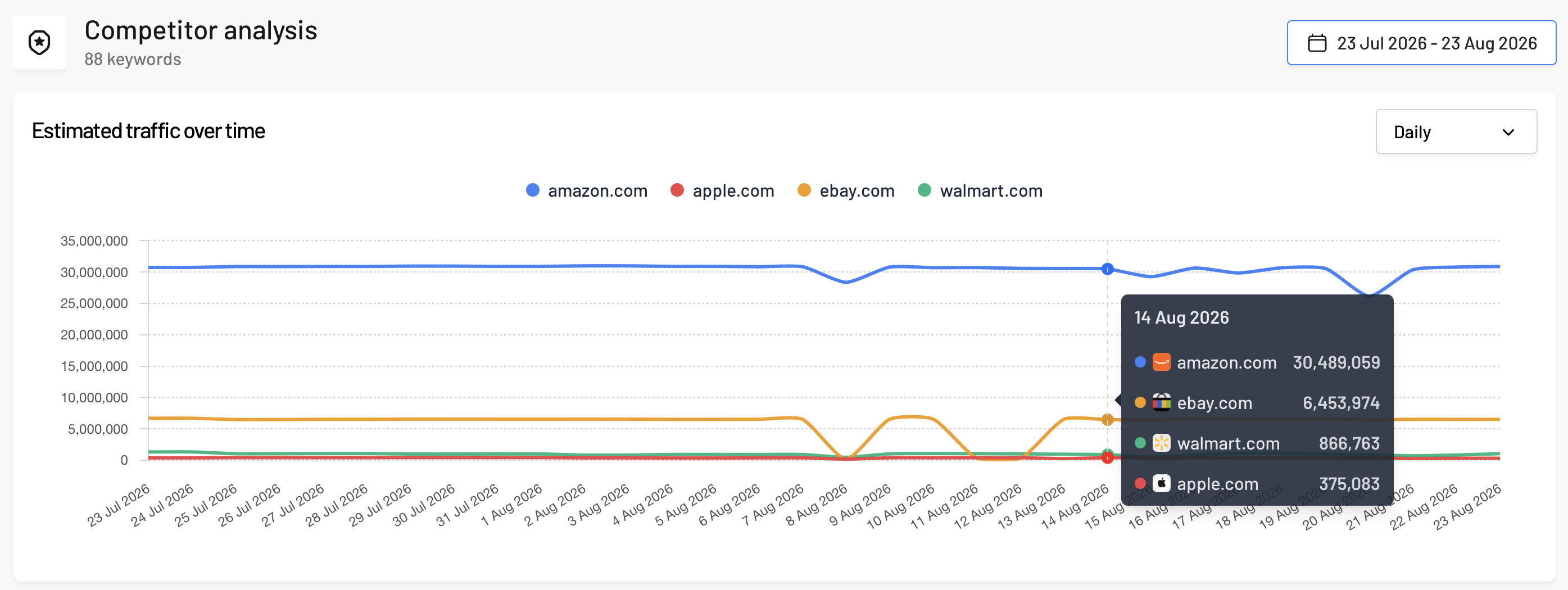
Estimated Traffic Trend Chart
Each brand gets its own line, allowing you to see at a glance who is growing, who is dropping, and when the trend shifted. You can toggle your view by days, weeks, or months.
Competitor Overview
A clean, easy-to-read table with a dedicated row for each competitor showing:
- Estimated traffic and traffic change,
- Average position and position change,
- Position distribution - showing how many keywords rank in positions 1–3, 4–5, 6–10, 11–20, and 21+.
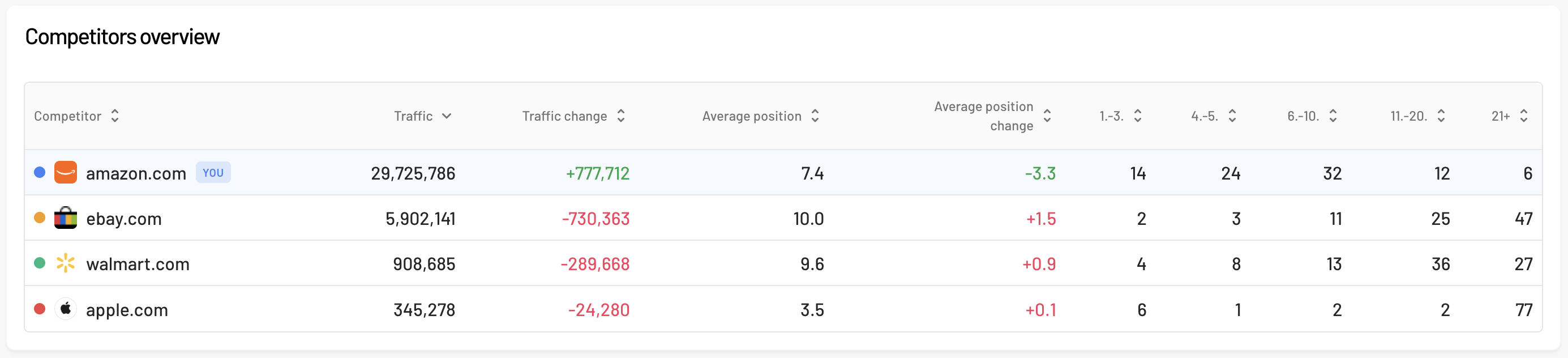
By default, you’ll see today compared to yesterday. When you select a date range, we’ll display the average values for that period alongside a comparison with the previous period.
Keyword-by-Keyword Comparison
A comprehensive table where each competitor has their own set of columns:
- Traffic,
- Traffic change,
- Position,
- Position change,
- Landing page URL.
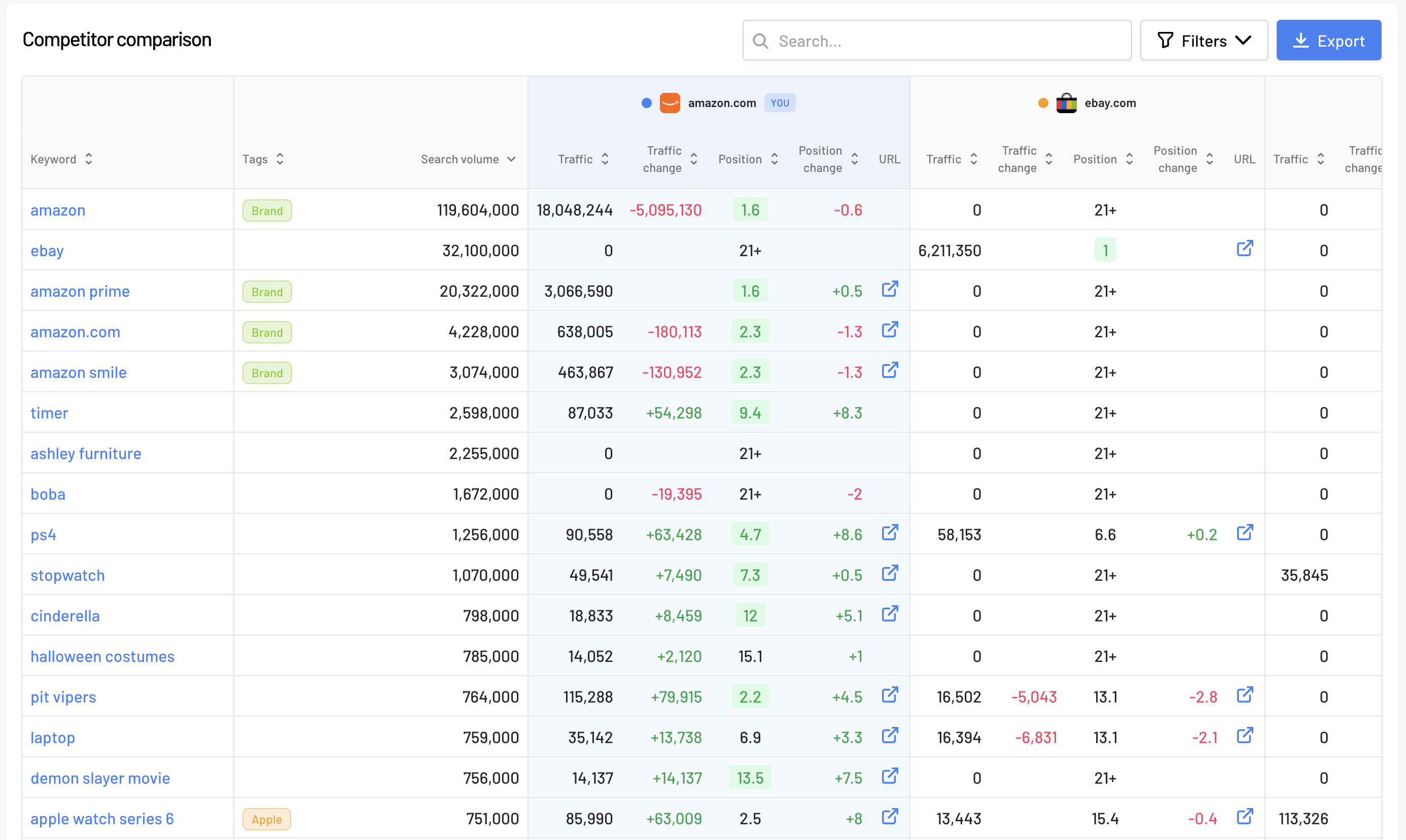
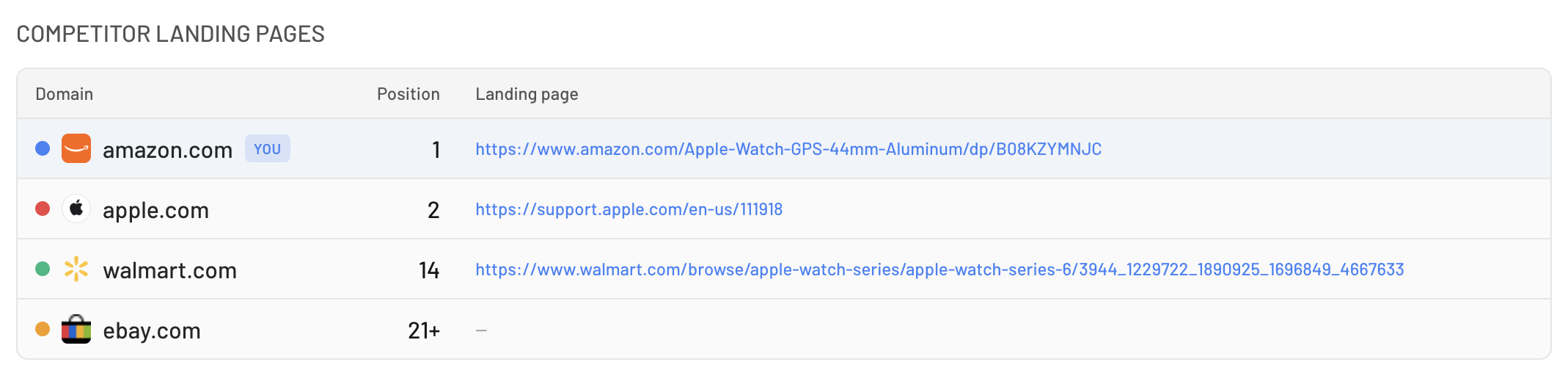
We highlight the top-ranking position for each keyword in green, so you can instantly spot who dominates that search query. And for any domain ranking in the top 20, we store the exact landing page URL - just click the icon to open it directly in a new tab.
Keyword Detail View
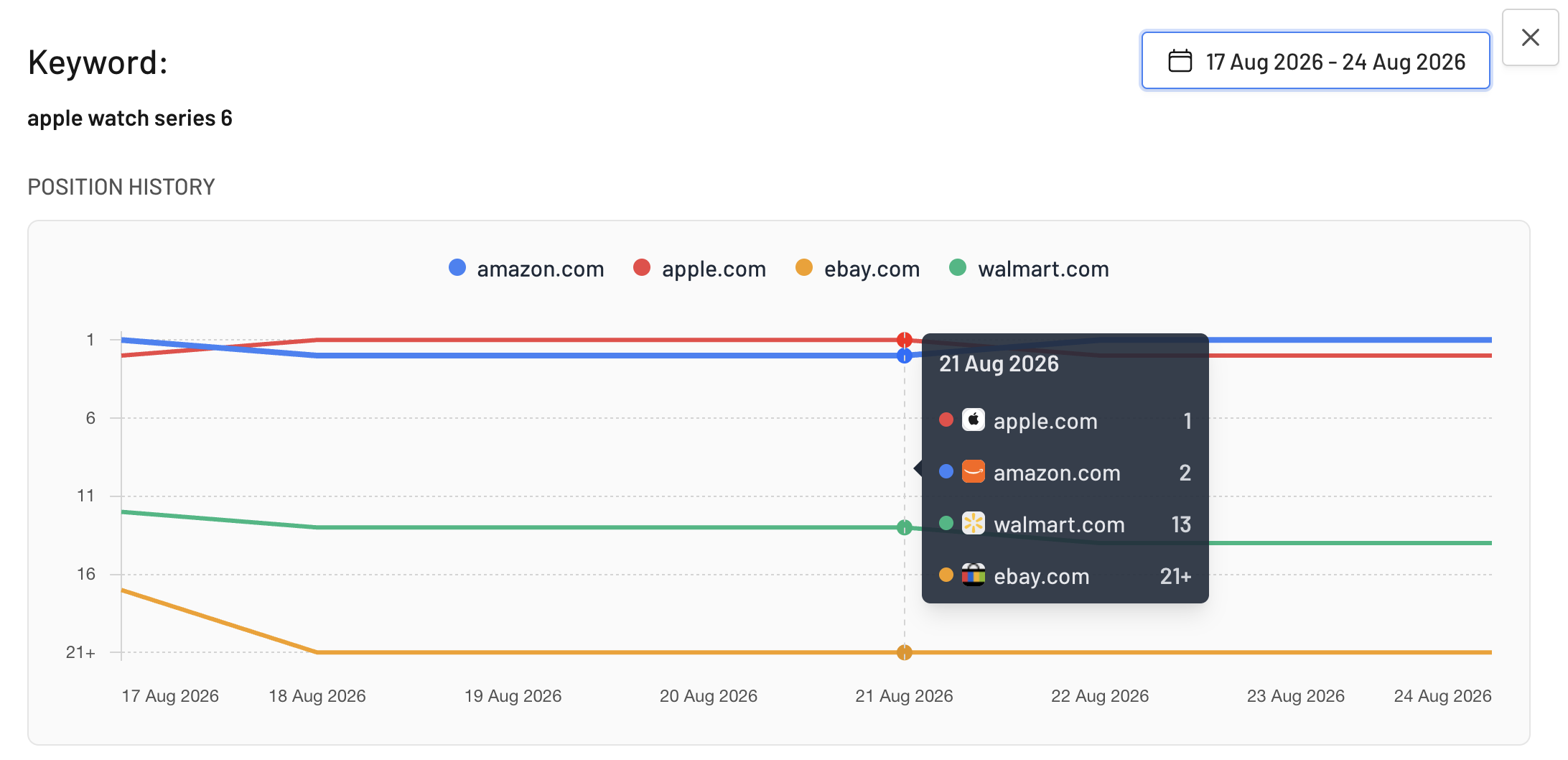
Click on any keyword to open a detailed view showing the ranking history of all tracked domains over time on a single chart, alongside your traffic, current position, keyword search volume, and the full list of competitor landing pages competing for that search term.
Competitor Filtering
Because columns are named the same for every competitor, you first select the domain in the filter before choosing the metric. For instance, you can easily apply a single filter to isolate only the keywords where a specific competitor ranks in the top 10.
How You Can Use This Feature
- Identify who is stealing your traffic - a sudden drop in your traffic paired with a competitor's bump in the exact same week is a clear smoking gun.
- Discover content gaps - filter for keywords your competitors rank for while you're nowhere to be found. This gives you an instant hit list of missing landing pages and topics to target.
- Analyze top-performing competitor content - check the exact competitor landing page ranking for any keyword, open it up, and compare it against your own to see why it's winning.
- Prove results to clients or leadership - presenting performance data alongside market context paints a far clearer picture than an isolated traffic chart ever could.
Where to Find It
Open your Project, go to the Competitors section, and click the Competitor Settings button to add the domains you want to track. History starts logging from the moment you add them, so the sooner you set them up, the sooner you'll have historical data to compare.