
6 Enhancements to Rank Tracking in Projects
Without consistent rank tracking, it’s impossible to tell whether the time spent updating your site - or the money invested in marketing - is actually paying off. That’s why the Projects section lets you set up automated rank tracking for your website on Google, on a daily or weekly basis. To make Marketing Miner even more effective and seamless for your workflow, we’ve rolled out six practical enhancements to the Projects section.
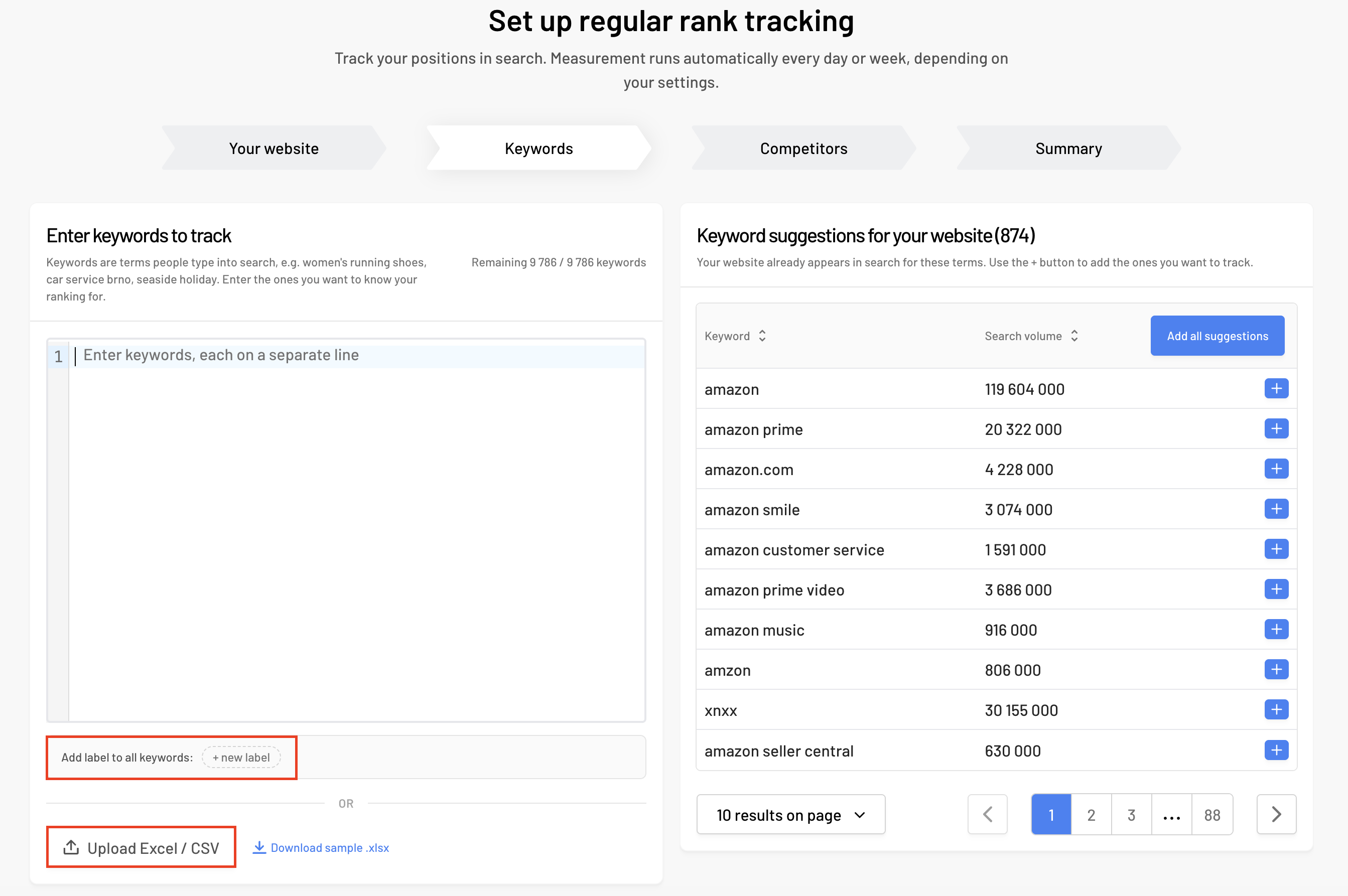
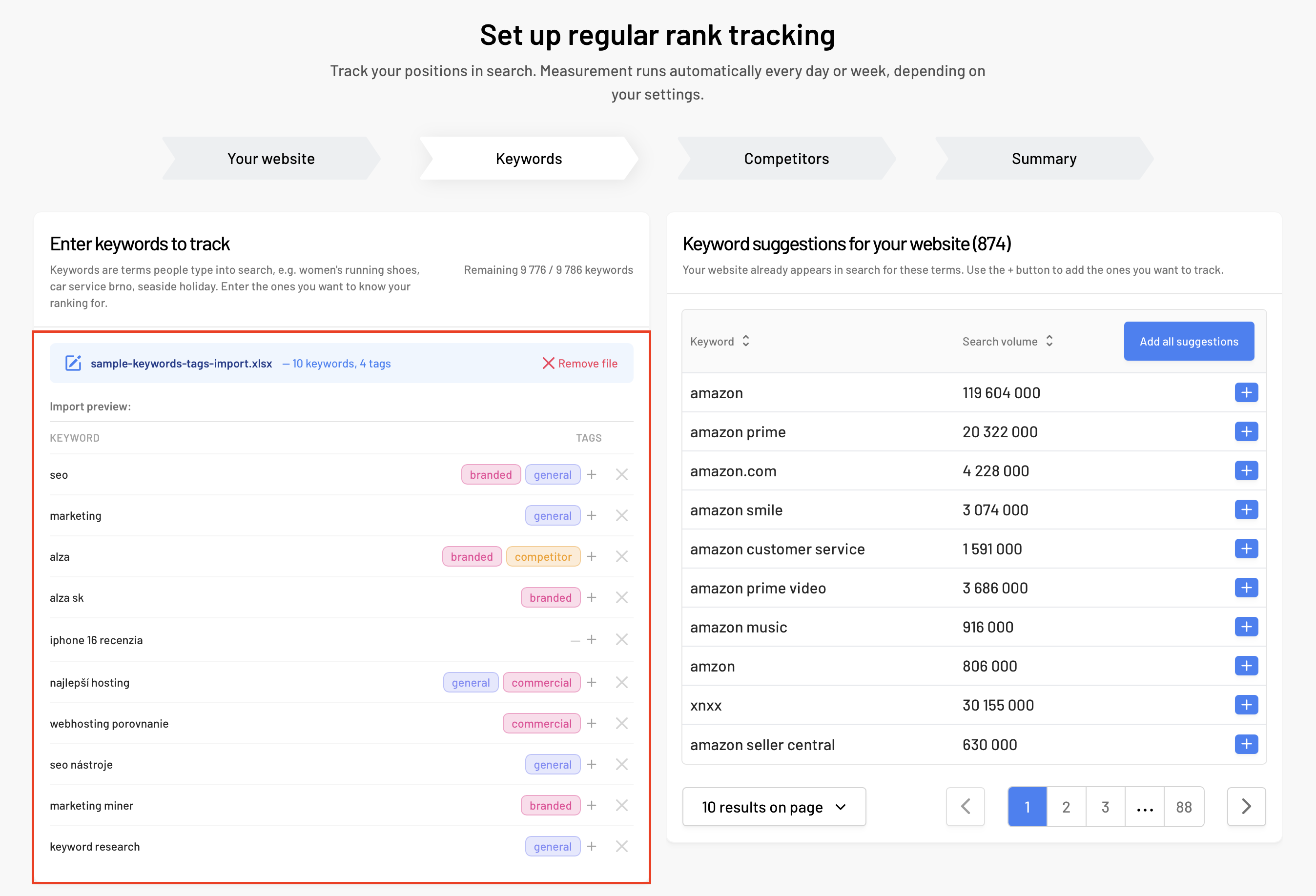
1. Bulk Keyword Import with Tags
Keywords are the foundation of every rank tracking project. Setting them up is now even easier. When creating a new project or adding words to an existing one, you can now upload keywords directly alongside their tags using XLS or CSV files. This saves you from tedious manual categorization and ensures your data is neatly organized into thematic groups right after import.
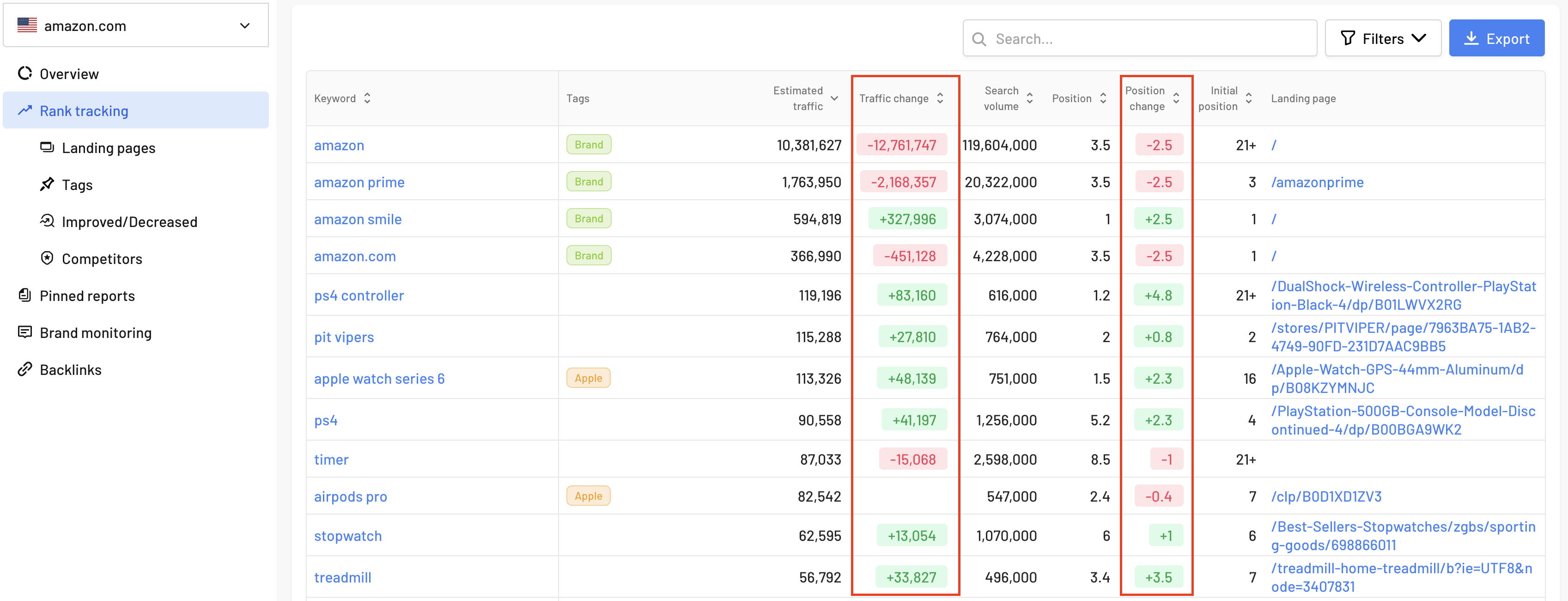
2. Estimated Traffic Change Overview
We’ve added a new metric to Rank Tracking - Estimated Traffic Change. The moment your search positions shift, you can instantly see the exact impact on your monthly search traffic for each keyword. This metric helps you evaluate the real value of your optimization efforts right away and prioritize your next steps more effectively.
3. Custom Notes for Backlinks
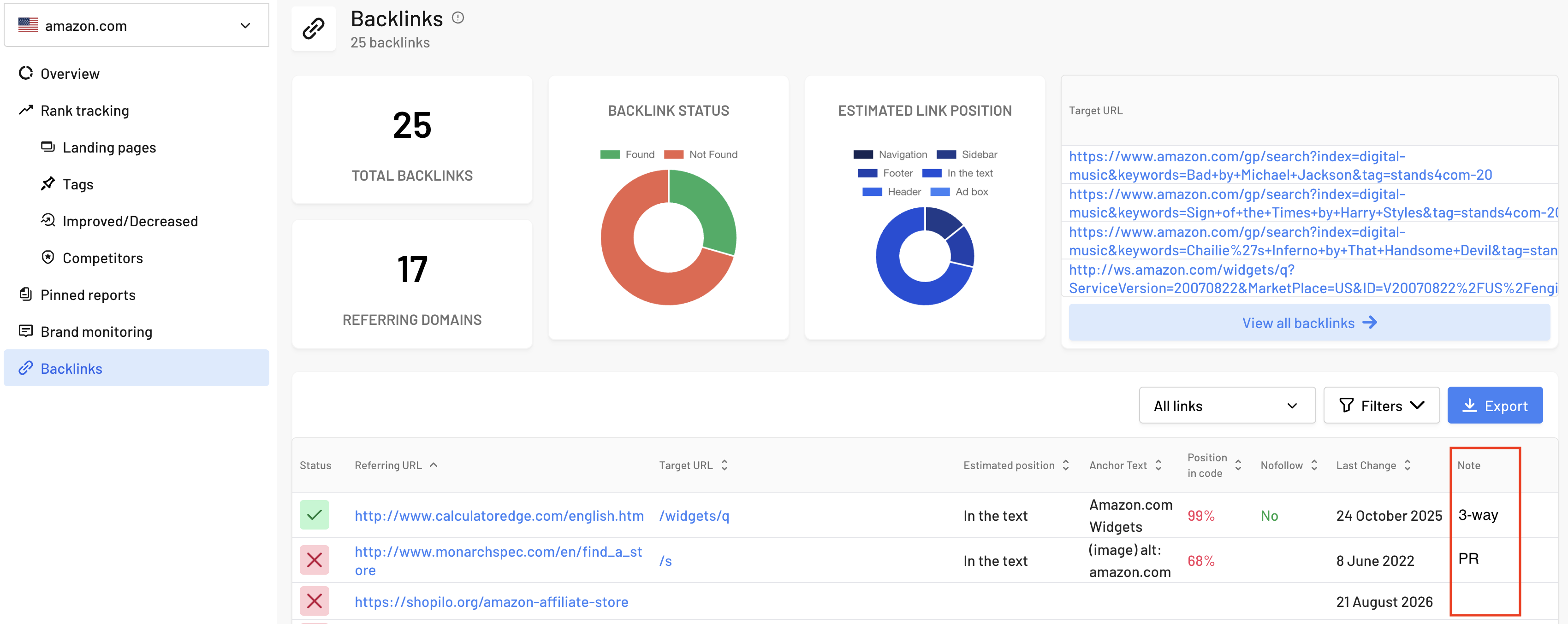
Are you investing time and money into gaining backlinks to boost your website's authority and drive visibility across both traditional search and AI search engines? Then you’ll appreciate our automated backlink monitoring. We’ve enhanced this section by adding the option to include custom notes for each backlink.
Right inside the tool, you can record details like backlink cost, contacts for the webmaster or link builder, or the type of collaboration (e.g., guest post, link exchange). This eliminates the need to constantly switch back and forth with external spreadsheets, keeping all your link details neatly organized in one place.
4. Export Winners and Losers (Keywords Moving Up and Down)
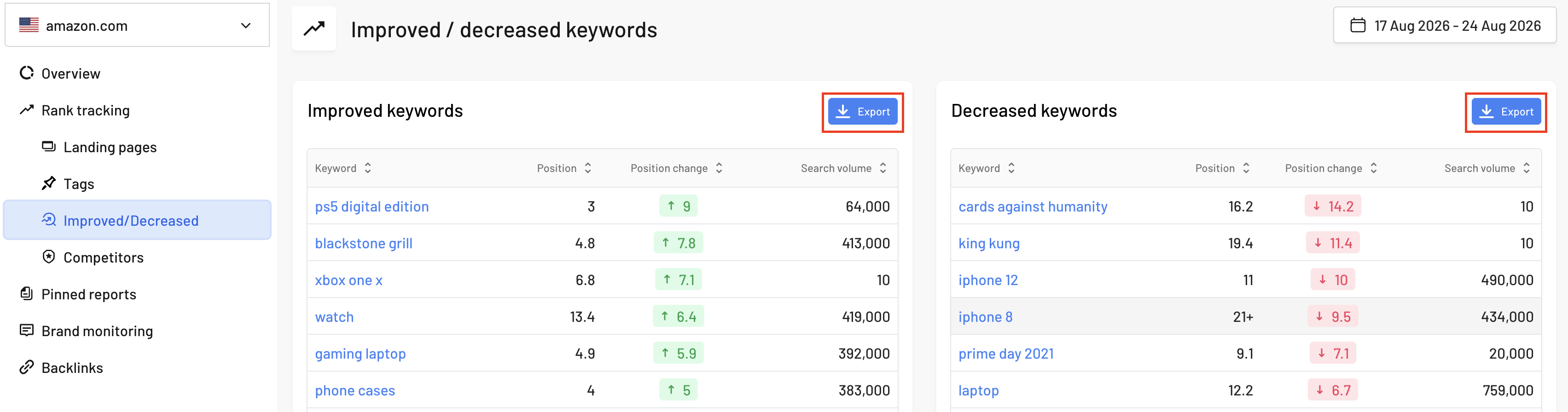
This section makes it easy to spot which search queries gained ground and where you’re starting to lose positions. You can now download this data into XLSX format with a single click. This simplifies further analysis, report preparation, and quick sharing of results with your team or clients.
5. Quick Access to the Data You Need
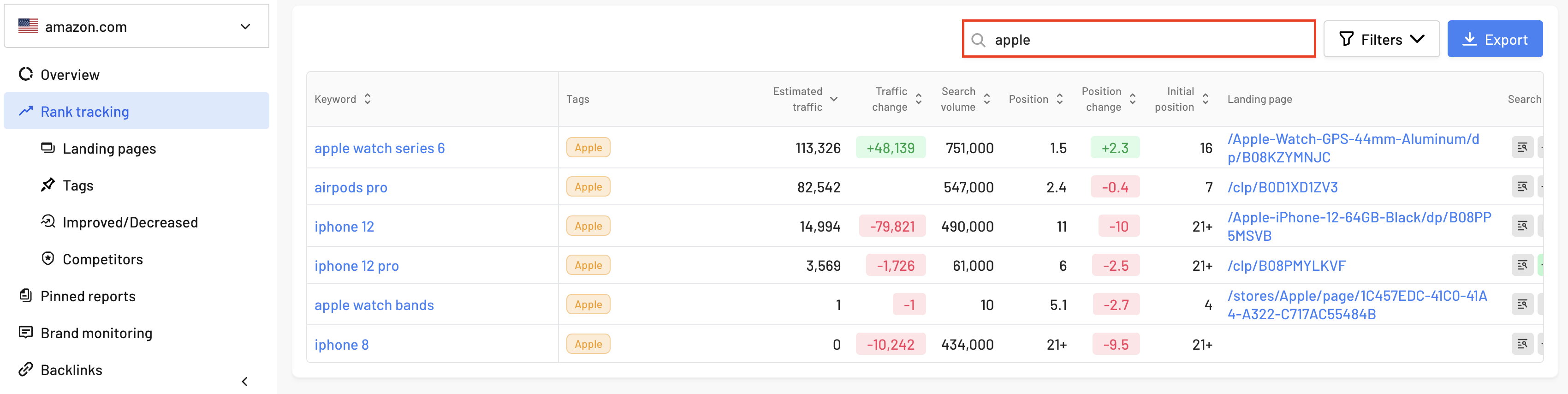
We’ve added a quick filtering feature to the Rank Tracking section. Simply type a keyword, tag, or specific landing page into the search bar, and the exact data you’re looking for will appear instantly. This does away with tedious scrolling, getting you straight to the metrics you need to analyze in a matter of seconds.
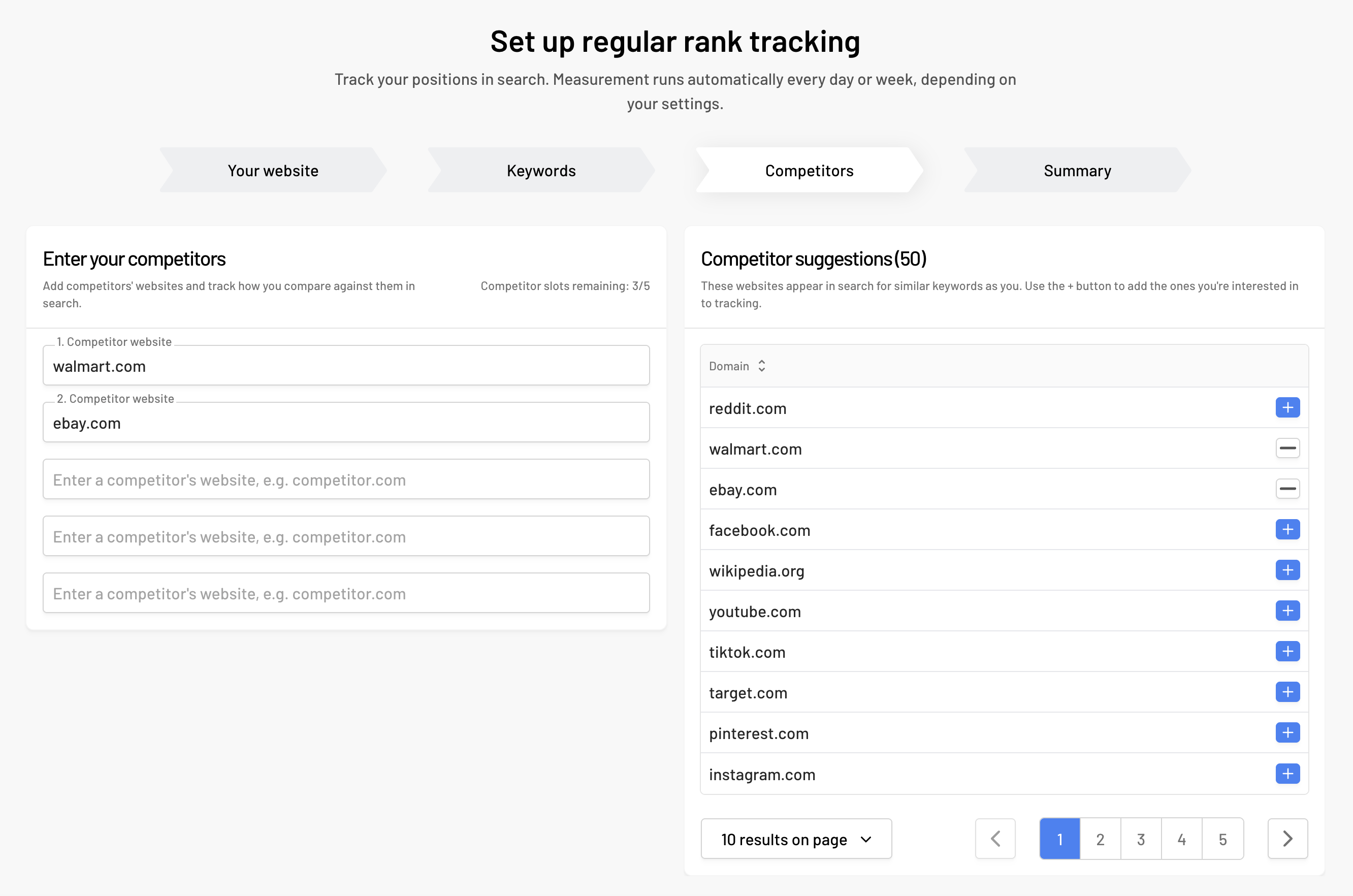
6. Competitor Tracking Right from Project Setup
Within a single project, you can monitor up to five competitors, compare your rankings against theirs, and keep an eye on your overall Market Share. You can now add these competitors directly during initial project setup. Right from day one, you’ll get a clear picture of who is gaining market ground and who is losing customers - without having to adjust settings later on.
To help you pick the right rivals, our smart suggest feature automatically recommends competitors based on keyword overlap with the terms you already rank for in search.